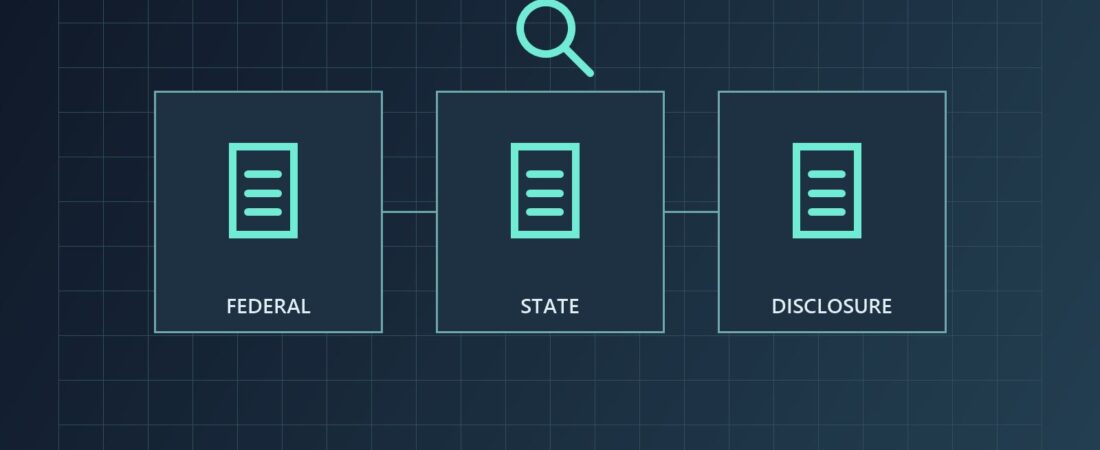
Use the Federal Election Commission for federal races and the relevant state or local filing authority for other races. For lobbying activity, use congressional disclosure records. For political organizations with section 527 filings, check the IRS. Trace any figure you publish to the filer, report period, and filing version.
The fastest search starts with the office, jurisdiction, or filer involved. A congressional candidate, a state ballot committee, a lobbying firm, and a political organization may appear in different record systems. Write down the question before you open a database. If the question is who paid for an ad, trace the payer before drawing conclusions from a donor list.
Find the candidate and committee in federal records
Search the Federal Election Commission by candidate or committee and capture the committee ID before opening transaction records.
In FEC candidate data, filter by office, state, and election cycle. Match the candidate to the committee you’re covering. Open FEC committee data to confirm the committee’s name, ID, and type. The FEC says it makes “a wide range of federal campaign finance reports and other documents available for public review and inspection” in its public records guide.
Keep the candidate and committee identifiers separate in your notes. More than one committee can be associated with a candidate. Decide whether each one belongs in your analysis before comparing or adding amounts.
Trace numbers to the filing and date range
Open the underlying report, check which version covers your period, and reconcile any figure before publication.
Use FEC individual contributions to find disclosed individual receipts. Use FEC disbursements to examine reported spending. Then search FEC filings by committee or report and inspect the source document. Record the committee ID, filing identifier, coverage dates, and filing date.
Compare an original and amended version before using a transaction export. Do not add both versions as separate reporting periods. Check for memo entries and refunds when deciding whether a row belongs in your total. Scope the amount to a specific date range, transaction type, and set of filers. A payment to a vendor and a transfer between committees answer different questions.
Find the filing authority for a state or local race
Identify the office and jurisdiction, then search the agency that collects filings for that race.
Start with the state election agency or ethics authority and confirm who receives the filings for the particular office or ballot measure. A city or county race may have a local filing authority. The National Conference of State Legislatures summarizes state rules on what committees “must disclose when they file reports with the state.” Check the state’s current guidance before treating a missing donor or transaction as a meaningful gap.
For example, the New York State Board of Elections public reporting system offers state disclosures. The California Secretary of State Power Search provides a different search interface. Keep the exact jurisdiction and the coverage of its database in your notes.
Separate lobbying reports from campaign transactions
Use the House and Senate disclosure system to check federal lobbying activity and reportable contributions.
Start at the congressional lobbying disclosure portal. Search the registrant or client and reporting period. Quarterly activity reports, known as LD-2, concern lobbying activity. Contribution reports, known as LD-203, cover reportable contributions. The House Clerk’s disclosure page and the Senate’s downloadable lobbying files provide additional access.
Record whether a name is a registrant, client, or individual lobbyist. Treat a match as a lead until identifiers and context agree. A lobbying report and campaign committee receipt measure different things, even when the same name appears in both.
Check IRS political organization disclosures
Search the IRS political organization database for public Forms 8871 and 8872 when they apply to the organization.
Use the IRS political organization disclosure search and try the organization’s exact name or employer identification number if you have it. The IRS filing guide describes Form 8871 as a notice of section 527 status and Form 8872 as a report of contributions and expenditures. Check whether the organization you are covering files these forms before interpreting a missing result.
For the publication check, save the actual document and copy the source link into your notes. Distinguish an empty search from evidence that no reportable activity occurred. If the right authority does not provide the record online, use the Assignment Editor public records request guide and consult its editorial standards for documenting sources.